
BEST CV TOOL
European CV Template (Free, ATS-Friendly)
This free european CV template helps you present a tailored application that follows the destination employer’s instructions. Add your own work history, education and skills, then download a text-based PDF in A4 or US Letter. No account is needed. Use the examples as writing prompts, and replace every detail with evidence from your own experience.
Last updated: · Draft — needs human review
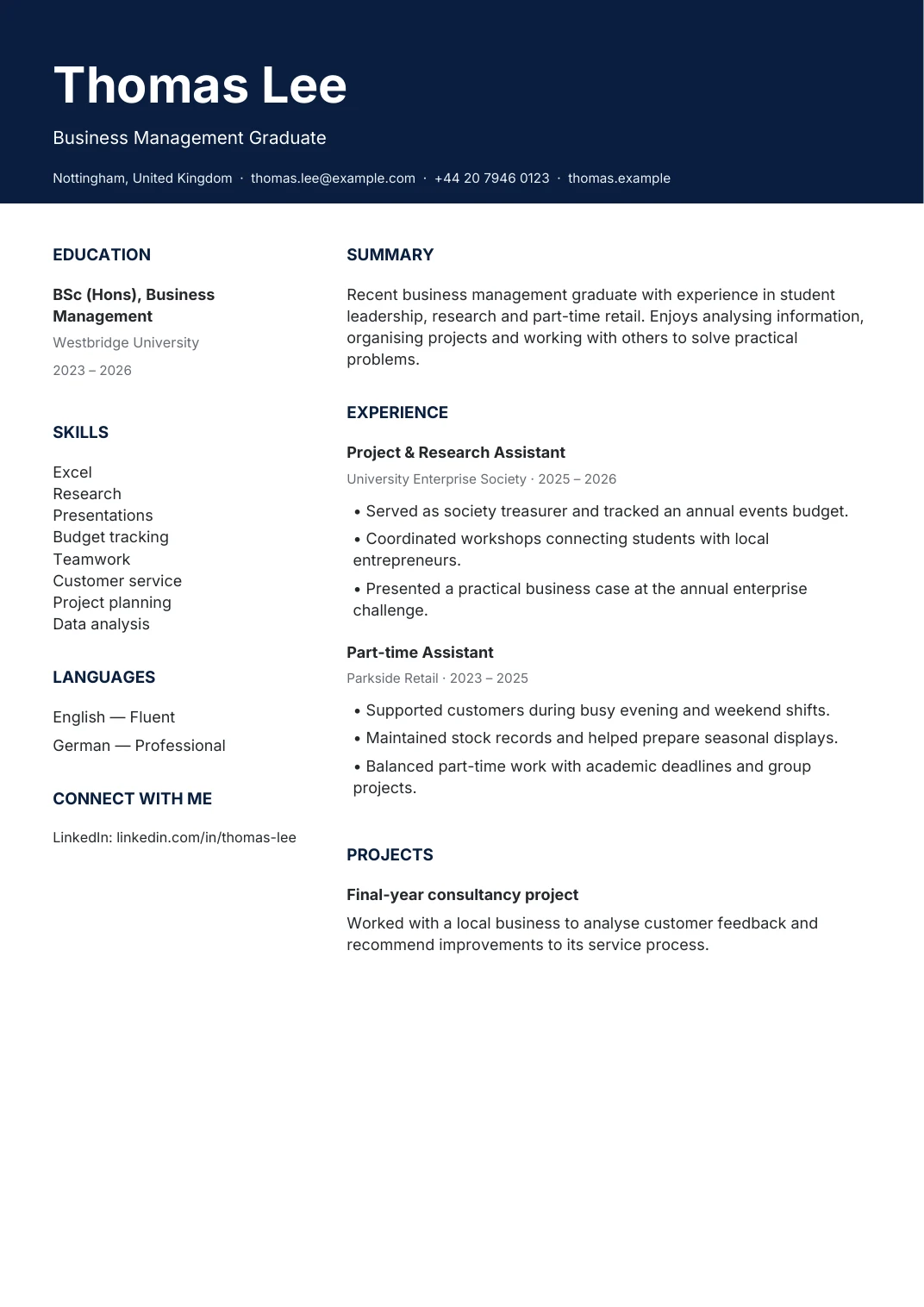
Start with the role you want
Your CV should make the relevant evidence easy to find. For this template, prioritise a tailored application that follows the destination employer’s instructions. Read the vacancy before choosing what to include: an attractive layout cannot explain a missing skill or an unclear timeline for you.
Open the builder with this design selected, then start a blank CV or import your own file. Check imported dates and section boundaries before relying on them. Switching the design preserves your content, so you can compare layouts without rewriting your career history.
Use this template →The preview contains fictional example content. Your new CV starts blank. The European layout is a general-purpose template, not an official Europass document.
What to put in each section
Contact details and professional summary
Use your name, a working email address and the contact information you want employers to use. Keep the introduction short: state your relevant background, strongest practical skills and the work you want to do next. Avoid promises such as “perfect candidate” or a list of personality claims without examples.
Experience and projects
List your most recent relevant role first, with the organisation and dates. Describe your contribution in concise bullets. Explain the action, the scope and the result where you can verify it. Projects, placements and voluntary work can provide useful evidence when you have limited paid experience; label them accurately.
Education, skills and languages
Give the qualification, institution and dates. Add relevant modules or projects only when they help explain your fit. Use the skills list below as a prompt, not a checklist to copy. State language proficiency honestly and separate hands-on experience from introductory study. Include professional registration only if you hold it and the role requires it.
Example achievement bullets
These six examples are fictional. The numbers demonstrate a writing structure and do not describe you or a real customer. Replace them with your own documented scope, timeframe and results.
- Coordinated 4 projects with named delivery milestones.
- Supported 30 customers during a reporting period.
- Reduced a documented processing delay by 15%.
- Completed 2 relevant projects during a qualification.
- Trained 6 colleagues on a defined procedure.
- Reviewed 12 records against a quality checklist.
Skills and keywords to consider
relevant technical skills · language proficiency · role-specific tools · communication · organisation · evidence of results.
Compare these terms with the actual vacancy. Include only skills you can discuss and demonstrate. Put important terms in context within your experience or projects, instead of repeating a keyword list. Do not add invisible text or claim software expertise just to improve a checklist score.
Three common mistakes
- Unclear evidence. A responsibility alone gives little context. Explain what you delivered, who it helped and the scale, without inventing results.
- Too much detail. Long paragraphs and unrelated history make the relevant work harder to find. Edit for the role and keep the timeline readable.
- Skipping the final check. Open the downloaded PDF, inspect every page, copy its text into a plain text editor and confirm your contact links. Follow the employer’s file instructions.
Frequently asked questions
Is this european CV template free?
Yes. You can open the template, edit your own content and download a text-based PDF without creating an account. Choose A4 or US Letter in the builder. Keep an editable JSON backup if you want to return to your work on another device.
Will this template pass every applicant tracking system?
No template can promise that. This builder exports selectable PDF text, but employers use different systems and application instructions. Use familiar headings, test the text order and run the ATS checklist. Treat its score as feedback rather than an interview prediction.
Can I use the example achievements in my CV?
The examples below are fictional writing prompts. Replace every activity, number and result with your own evidence. If you cannot verify a percentage, explain the scale or responsibility accurately instead. Do not copy credentials or results that you have not earned.
Which country format should I choose?
Follow the vacancy and employer instructions first. A4 is a useful default for these country guides; US Letter is available when requested. Review the linked country draft, choose relevant information and leave optional personal details out unless you decide they are appropriate.
Before you apply
Run the ATS checker, then read the suggestions alongside the vacancy. Save a separate backup for each application. Review the country format guide for general drafting advice; its local conventions still need expert review.
Compare business developer templates and accountant templates if another layout better fits your information.